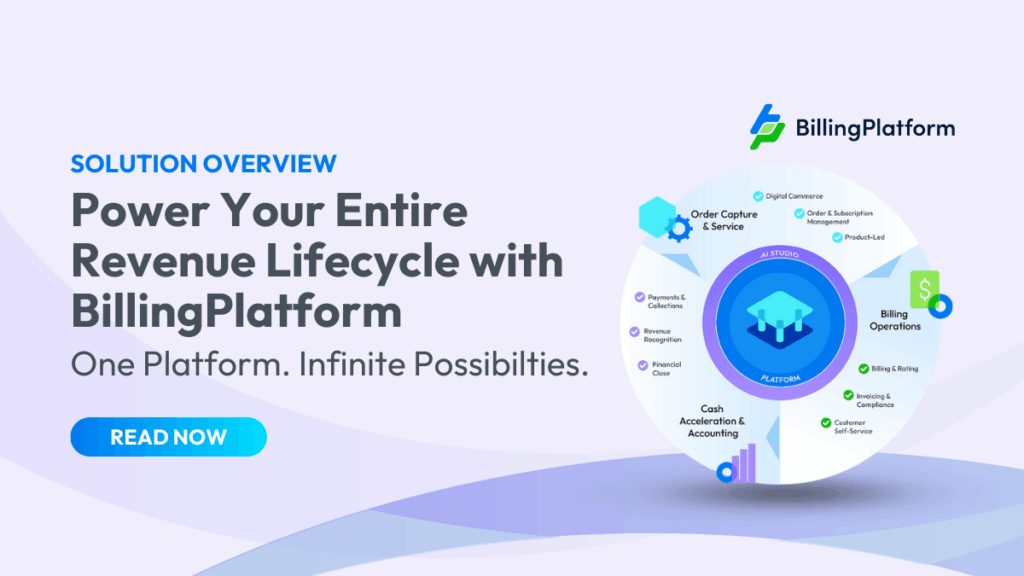
The billing platform does not work in isolation. It sits at the center of a revenue stack that includes a CRM on one side and an ERP on the other, with a payment processor, a revenue recognition engine and a customer portal layered on top. Every one of those connections is a place where data can arrive incomplete, arrive late or not arrive at all.
Most billing automation failures are not platform failures. They are integration failures. The platform is configured correctly, but the contract data coming from Salesforce is missing a field. The billing events are rated accurately, but the journal entries posting to NetSuite are hitting the wrong GL code. The invoices go out on time, but the payment confirmations never make it back to AR.
This guide covers what the integrations between a billing platform and CRM and ERP systems actually require, where they typically break and what good integration architecture looks like in practice.
For a broader overview of billing automation, see the Enterprise Billing Automation: The Definitive Guide. For implementation guidance including integration sequencing, see Enterprise Billing Automation Best Practices.
Why Integration Is the Hard Part of Billing Automation
Billing platforms are not difficult to configure in isolation. Most enterprise platforms handle pricing model setup, invoice generation and dunning configuration through a visual interface. The configuration work is finite and testable.
Enterprise billing integration is harder for three reasons.
- First, the data that flows into the billing platform from CRM was not designed with billing in mind. A Salesforce opportunity has fields for deal value and close date. It does not have a native field for billing frequency, proration method or revenue recognition treatment. That data must be added to the CRM data model, mapped to the billing platform’s data model and kept in sync when either system changes. That work requires decisions from finance, RevOps and engineering, and those teams rarely agree on who owns what.
- Second, ERP integration runs in the opposite direction: billing events need to generate journal entries in SAP, Oracle, NetSuite or Workday that are correct, complete and posted to the right accounts. The GL code mapping between billing line items and ERP accounts is a finance decision. The technical implementation is an IT decision. When these two teams do not work through the mapping together before go-live, journal entries post to the wrong accounts for months before anyone traces the error back to the integration.
- Third, integration breaks silently. A CSV export that runs nightly will succeed on most nights and fail on some without generating an alert. A field mapping that was correct when the CRM schema was last updated becomes incorrect after the next Salesforce release. These failures accumulate as billing errors, pricing discrepancies and RevRec mismatches before they surface as a problem someone can trace.
CRM Integration: What Has to Flow from Salesforce to Billing
The CRM is where the commercial relationship with the customer is defined. The billing platform is where that relationship gets executed. For billing automation to work, every commercially relevant data point from the CRM contract record needs to flow to the billing platform accurately and in real time.
What data the billing platform needs from CRM
The minimum data set for a billing integration includes:
- Account and contact data. Customer name, billing address, currency, tax treatment and payment terms. These fields drive invoice generation, tax calculation and dunning sequences.
- Contract terms. Start date, end date, billing frequency (monthly, quarterly, annual), auto-renewal settings and any mid-cycle amendment history.
- Pricing model and rate details. Which pricing model applies to this contract (flat rate, tiered, overage, formula-based), the specific rates and any discounts or custom terms negotiated by sales.
- Product and SKU mapping. Which products or services are included in the contract, mapped to the billing platform’s product catalog.
- Revenue recognition treatment. How revenue from this contract should be recognized: ratably over the contract term, at a point in time or based on usage. This field is often missing from CRM records because it was never required there—until billing automation makes it necessary.
The last item is where most CRM-to-billing integrations break down. Sales teams configure opportunities for reporting, not for billing. RevRec treatment is a finance concept that rarely exists as a structured field in the Salesforce data model unless finance has specifically required it. Before go-live, finance needs to audit the CRM data model and add every field the billing platform requires. This work is unglamorous and takes longer than anyone expects.
How the data should flow
There are two acceptable patterns for CRM-to-billing data flow and one that is not acceptable.
The preferred pattern is real-time event-driven integration. When a contract is closed in Salesforce, a webhook fires and the billing platform receives the contract data immediately. When a contract is amended, the amendment triggers an update to the active billing record in real time. No lag, no batch window, no manual trigger.
The acceptable alternative for companies not yet running real-time integration is a scheduled near-real-time sync that runs every 15–30 minutes. This introduces some latency but keeps data reasonably current and is far superior to the alternative.
The unacceptable pattern is a nightly CSV export. A nightly export means any contract closed after the last export does not get billed until the following day at the earliest. It means a contract amended at 3pm on the last day of the month may not make it into the billing run. It means a failed export generates no alert and goes undetected until a customer calls about a missing invoice. Nightly CSV exports are a manual billing process in disguise—they have the look of integration but not the substance.
Common CRM integration failure points
Failure point | What breaks | How to prevent it |
Missing RevRec treatment field | Revenue recognition posts to wrong schedule | Add required RevRec fields to CRM before go-live; enforce at opportunity close |
Custom pricing terms not mapped | Invoice generates at standard rate instead of negotiated rate | Require structured discount and custom rate fields in CRM; validate at contract close |
Amendment not synced in time | Invoice reflects old contract terms | Event-driven sync or near-real-time schedule; never nightly batch for amendments |
Currency mismatch | Invoice generated in wrong currency | Enforce currency field in CRM; validate against billing platform account record on sync |
Duplicate account records | Two invoices generated for same customer | Deduplicate CRM accounts before go-live; implement duplicate detection rule in sync logic |
ERP Integration: What Has to Flow from Billing to Your General Ledger
The ERP integration runs in the opposite direction. Billing events generate financial data—invoices, payments, credits, refunds—that need to post to the general ledger as journal entries. The billing platform needs to know which GL account each billing event maps to, and the ERP needs to receive those entries in a format it can process.
What data flows from billing to ERP
For each billing event, the ERP integration needs to carry:
- Invoice line item detail. Product or service description, quantity, unit price, total amount, applicable tax and billing period.
- GL account mapping. Which debit and credit accounts the entry posts to, based on the product, the customer’s entity and the revenue recognition treatment.
- Revenue recognition schedule. For contracts recognized ratably or based on usage, the schedule of revenue amounts by period that should post to the RevRec accounts.
- Payment and cash application entries. When a payment is received, a corresponding entry needs to clear the accounts receivable balance in the ERP. Automated cash application generates these entries; manual cash application does not.
- Credit and adjustment entries. Credit memos, refunds and billing adjustments need corresponding entries that reverse or offset the original invoice entries.
GL account mapping: the step that breaks most implementations
GL account mapping is the translation layer between billing events and the chart of accounts in your ERP. It answers the question: when a customer in Germany pays a $5,000 invoice for a three-year SaaS subscription with a usage overage component, which accounts does each part of that transaction debit and credit?
The answer depends on the entity structure, the revenue recognition treatment, the tax jurisdiction and the product type. For a company with a simple chart of accounts and one entity, the mapping is straightforward. For a company with multiple subsidiaries, intercompany billing and a complex product catalog, the mapping is a multi-week finance project.
The failure mode is trying to complete the GL mapping during the integration build rather than before it. When finance and IT are working through the mapping together during implementation, the enterprise billing integration timeline extends, decisions get made under time pressure and entries post to wrong accounts. The correct sequence is: finance defines the complete GL mapping before the integration build starts, the mapping is documented in a specification, and IT implements from the specification. Any changes to the mapping after go-live go through a change control process.
ERP integration patterns
As with CRM, the integration pattern matters as much as the data itself.
Real-time API integration is the correct pattern for invoice posting, payment receipt and adjustment entries. When an invoice is finalized, the journal entry should post to the ERP immediately. Delays between billing events and ERP postings create temporary discrepancies in the AR balance that confuse collections teams and distort period-end reporting.
Period-based batch posting is acceptable for revenue recognition schedules. RevRec entries are inherently periodic: they represent revenue earned over a period, not a point-in-time event. Posting them in a nightly or weekly batch is standard practice and does not introduce the same risks as batching transactional entries.
The anti-pattern to avoid is manual journal entry creation at period close. If the billing-to-ERP integration requires a finance analyst to review billing output and create GL entries manually at month end, the integration is not working. That process is slower than the manual billing it replaced, it introduces human error into the accounting records and it defeats the purpose of automation.
Common ERP integration failure points
Failure point | What breaks | How to prevent it |
Incomplete GL mapping | Entries post to default or catch-all accounts | Complete mapping specification before integration build; finance sign-off required |
Multi-entity routing error | Intercompany entries post to wrong subsidiary | Map entity hierarchy in billing platform before go-live; test with intercompany scenarios |
RevRec schedule mismatch | Revenue recognized in wrong period | Validate RevRec schedule generation against contract terms before first live invoice |
Payment not matched to invoice | AR balance stays open after payment received | Implement automated cash application; define matching logic for partial and unmatched payments |
Schema change breaks mapping | ERP upgrade changes field structure; integration fails silently | Monitor integration health continuously; alert on failed postings within 15 minutes |
Revenue Recognition Integration
Revenue recognition deserves its own treatment because it sits at the intersection of the enterprise billing integration and the ERP integration. Errors here create audit risk that errors in other parts of the stack do not.
The data flow for RevRec is: billing event triggers revenue recognition calculation, calculation generates a revenue schedule, schedule posts journal entries to the ERP at the correct periods. For this to work automatically, the billing platform needs the RevRec treatment for every contract (ratable, point-in-time, usage-based or milestone-based), the contract start and end dates and the transaction price allocation across performance obligations.
The most common RevRec integration failure is a mismatch between the contract terms in the billing platform and the RevRec treatment defined by finance. Sales closes a three-year contract with a 20% first-year discount. Billing generates invoices per the discount schedule. Finance recognizes revenue ratably over three years at the undiscounted transaction price. If the billing platform does not have the correct transaction price allocation, the RevRec schedule will be wrong.
This is not a technology problem. It is a process problem: finance and sales did not agree on how the transaction price is allocated before the contract closed, so the billing platform does not have the information it needs. Fixing it requires a data quality process upstream, not a configuration change in the billing platform.
BillingPlatform’s revenue recognition capabilities are built into the billing workflow rather than a separate module, which eliminates the most common source of RevRec integration failure: the sync between a billing system and a standalone RevRec system that runs on a schedule and breaks when either system changes.
Payment Processor Integration
The payment integration connects the billing platform to the payment gateway, handles the tokenization and execution of customer payment methods and returns payment confirmation data that closes the AR loop. It is the integration most companies get right because it is well-documented, well-tested and the failure mode (a payment that does not process) is immediately visible.
The piece that gets less attention is cash application: matching the payment confirmation from the gateway to the open invoice in the billing platform and generating the corresponding AR clearing entry in the ERP. Automated cash application handles this matching automatically, including partial payments and payments where the remittance reference does not exactly match the invoice number. Manual cash application handles it by having an AR analyst review the gateway report and match entries by hand.
At low invoice volume, manual cash application is manageable. At high volumes, such as 500 or more invoices per month, it becomes a significant AR operations burden and a common source of DSO inflation. Invoices that have been paid but not matched stay on the AR aging report, generate unnecessary follow-up and distort collections metrics.
BillingPlatform’s AR automation capabilities include automated cash application with charge-level allocation, smart matching logic for incomplete remittance data and real-time AR balance updates that keep the ERP and the billing platform in sync.
Questions to Ask Your Billing Platform Vendor
Enterprise billing integration capability is where the gap between what vendors claim and what they deliver is widest. These questions separate platforms with genuine enterprise integration from platforms that offer integration as a checkbox.
Integration evaluation questions:
- Show me the data flow from a Salesforce contract close to a live billing record in your platform—live, not in a slide.
- How does your platform handle a Salesforce schema change that adds or renames a field used in the billing integration?
- What happens when a journal entry fails to post to our ERP? How is the failure detected and how is it resolved?
- Is your GL account mapping defined at the product level, the entity level or both? Walk me through the mapping for a multi-entity intercompany invoice.
- How does your cash application handle a payment where the customer reference does not match any open invoice?
- What is the latency from a billing event to an ERP journal entry under sustained load? Give me a number, not a range.
- How many customers in our industry are running the Salesforce-to-billing and billing-to-NetSuite/SAP integrations in production today? Can we speak with two of them?
What Good Enterprise Billing Integration Architecture Looks Like
A well-integrated billing stack has four characteristics.
- Real-time data flow for transactional events. Contract closes, amendments, payments and adjustments all flow between systems within seconds, not hours. The billing platform’s record of a contract matches Salesforce’s record at any point in time.
- Structured GL mapping owned by finance. Every billing event maps to a specific debit and credit in the chart of accounts. The mapping is documented, version-controlled and change-managed. Finance reviews and approves any modification.
- Automated failure detection. Every integration has monitoring that detects and alerts on failures within 15 minutes. Silent failures—events that do not post, syncs that do not run—are caught before they accumulate into billing errors or RevRec mismatches.
- Clean separation of concerns. CRM owns the commercial relationship. The billing platform owns the billing execution. The ERP owns the financial record. Data flows in one direction at each boundary: CRM to billing, billing to ERP. Reverse data flows (billing writing back to CRM, ERP writing back to billing) introduce circular dependencies that make debugging failures nearly impossible.
Getting Enterprise Billing Integration Right
The integration work is not glamorous. It involves data mapping, field-level audits, schema documentation and test scenarios that cover edge cases most teams would rather not think about. It takes longer than the platform configuration and surfaces problems in upstream systems that were invisible before automation.
It is also the work that determines whether billing automation delivers its results or spends the first year generating new problems. A billing platform with a clean, real-time CRM integration and a validated ERP GL mapping produces correct invoices, accurate AR balances and clean RevRec entries from day one. A billing platform with a nightly CSV export and an unmapped chart of accounts produces the same errors the manual process produced, just faster.
For implementation guidance including integration sequencing and data quality preparation, see Enterprise Billing Automation Best Practices. For the CFO’s perspective on what to require from a vendor before committing, see the CFO Guide to Billing Automation.
BillingPlatform connects to your existing revenue stack through native REST APIs and pre-built connectors for Salesforce, SAP, Oracle, NetSuite and Workday. To see how the integration works in your specific stack, request a demo.